
Create an API Key
Open https://www.jingxutoken.cn/keys after signing in.
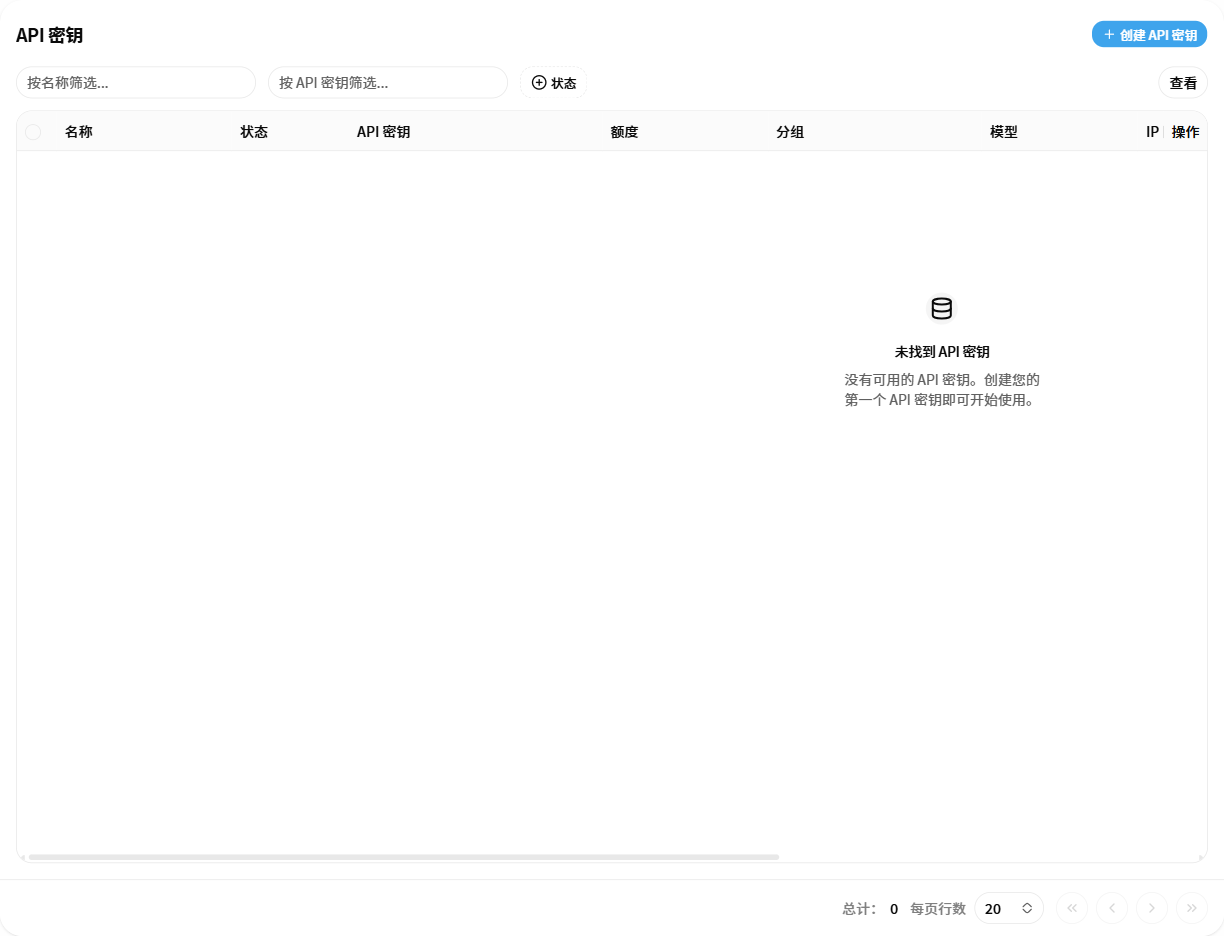
Steps
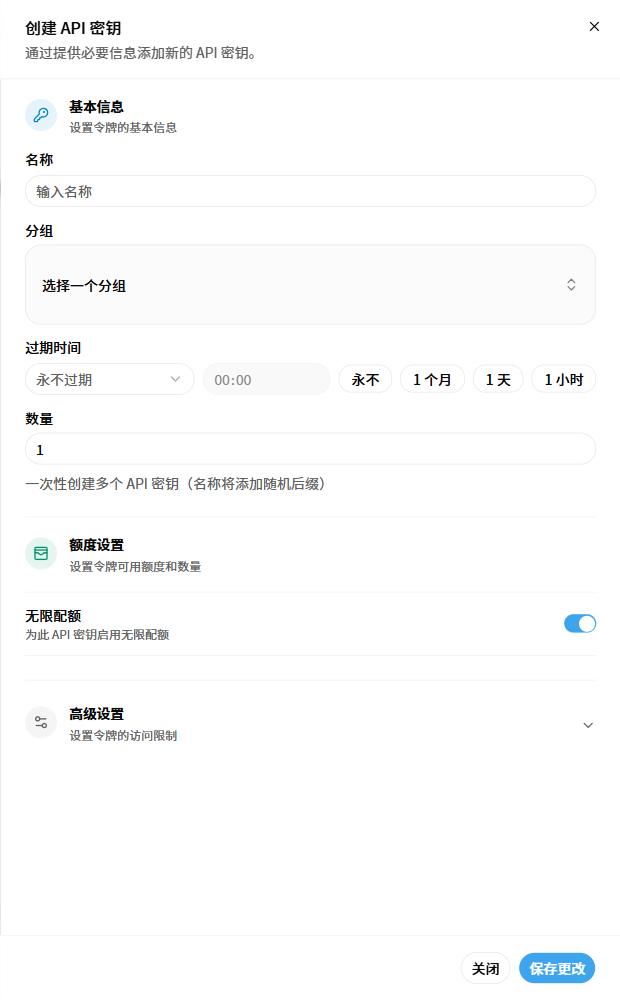
- Click “Create API Key”.
- Enter a recognizable name.
- Select the group that matches the target client and model.
- Set the expiration time and quantity.
- Configure quota and advanced restrictions when needed.
- Click “Save Changes”.
Keep the key private
Store the generated key securely. Never place a complete API key in public documentation, screenshots, or chat messages.
Verification
- The new record appears in the API key list.
- Its group, quota, status, and expiration are correct.
- The client uses the correct API key, Base URL, and model name.